 gitlab-live-refresh
The reload button for GitLab, pressed for you.
Merge request, pipeline and job pages reload themselves when something changes, never while you type. For Chrome, Firefox and userscript managers.





Why
GitLab's pages are meant to update themselves. Often they do not: a pipeline still reads running long after it passed, a merge request misses the comment that just landed, and you reload to find out. GitLab Live Refresh asks GitLab what changed and reloads the page for you, at a moment that costs you nothing.
When it reloads
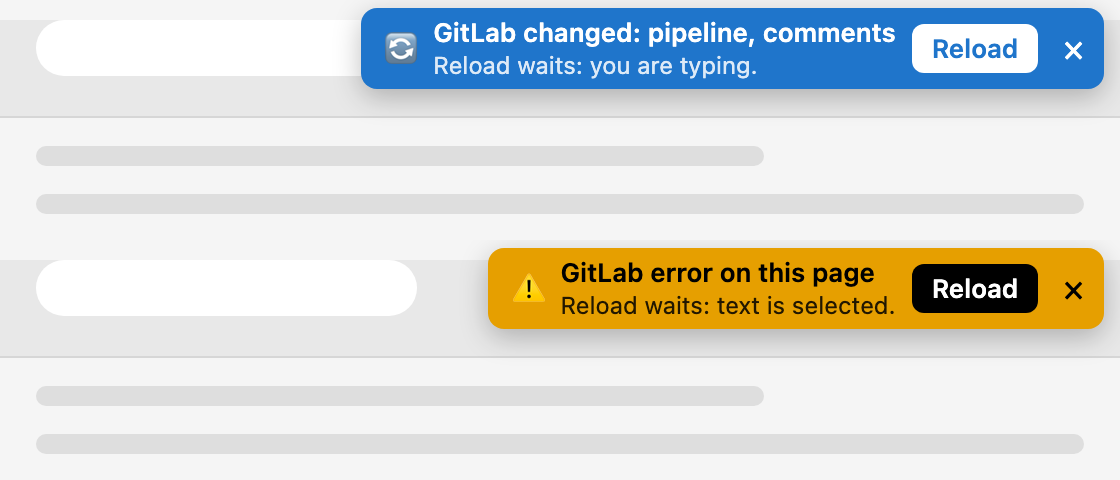
- When something you would reload for changed: a pipeline or job status, commits, a comment, approvals, the merge status, the state of the merge request.
- Never while you type, while a draft is on screen, while text is selected or while a menu or dialog is open. It waits until you have been idle for 8 seconds.
- Edits wait for the page to settle: a bot rewriting its comment three times in a row costs one reload, 30 seconds after the last edit.
- Automatic reloads are 45 seconds apart, 3 minutes in a background tab, so a push and its pipeline cost one or two reloads.
- Coming back to a tab reloads it at once when something changed, before you start reading.
- You land where you were: GitLab scrolls inside a panel the browser does not restore.
- A page showing “Something went wrong” reloads too, at most 3 times until you reload it yourself.
Install the extension
Firefox: add it from Firefox Add-ons. Firefox keeps it up to date.
Chrome: add it from the Chrome Web Store. Chrome keeps it up to date.
Then open a GitLab page, click the extension’s icon and turn live refresh on for that site. It asks for that one site, nothing more, and starts in its open tabs at once.
Or the userscript
With Violentmonkey or Tampermonkey installed, open gitlab-live-refresh.user.js. It runs on the merge request, pipeline and job pages of any GitLab host, with no setup, and updates itself from the latest release.
One limit: Chrome freezes background tabs, and nothing inside a page runs while it is frozen. The userscript catches up the moment you come back to the tab; the extension keeps background tabs current.
See what it does
The debug trace logs every check, wait and reload of every tab of the site, and survives reloads. In the console:
localStorage.setItem('gl-live-refresh:debug', '1')
// then, on any GitLab page of the site:
JSON.parse(localStorage.getItem('gl-live-refresh:trace')).join('\n')